
My fav characters :3


Blinkies!!!.

Hi! My name's Ash, but my online handle is ashtyn! i go by many names like Dae, Daelynn, ash, ashonder, ashtyn, da3lyzz, etc, etc! I mainly created this page so people would get to know me from my social media pages but these alone probably won't help how people judge my character! Hope to make your acquaintances if you do interact with me in some way! I'm not relatively new to coding, but having stopped coding in 2019, i'm very rusty and am quite unfamiliar with it all. Please treat me nicely since this website is still underconstruction!

My interests are in art, videogames, dancing, singing, etc. I used to have the passion for coding but lost it when i got out of middle school (unfortunately). I tried to get back into coding several times, but only ended up with a massive headache and crushed determination of getting something out of my inspiration for coding. This site was a result of a successful burst of inspiration and i hope to make it better and express myself through this site!
I'm a self-taught artist who wants to pursue a proper education in fine arts but is unsure whether i'd even make a living off of art in college. I made my first ever drawing back in 2014 when i was a wee little toddler and didn't know what the hell i was doing.
i haven't coded in so long...,i'm so rusty...
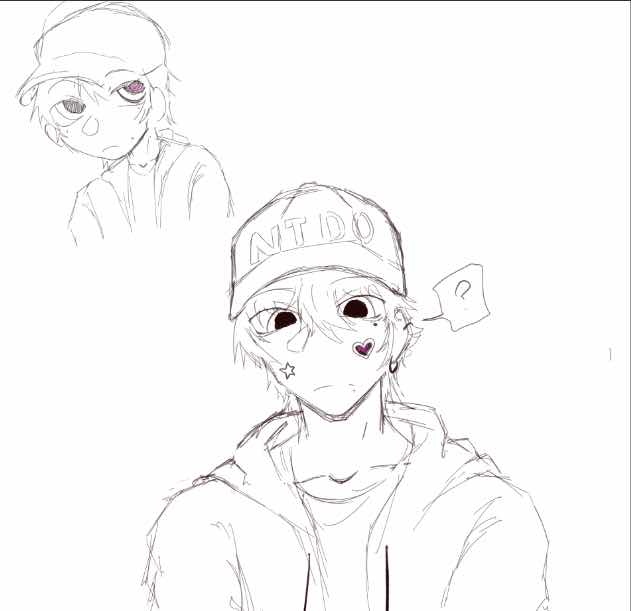
this is my oc, Dae! he's based off of my Animal Crossing: NH character and i couldn't help but draw him! i thought he was pretty cute and it's been around a year and a half (as of Dec. 11, 2025) since i first drew him.
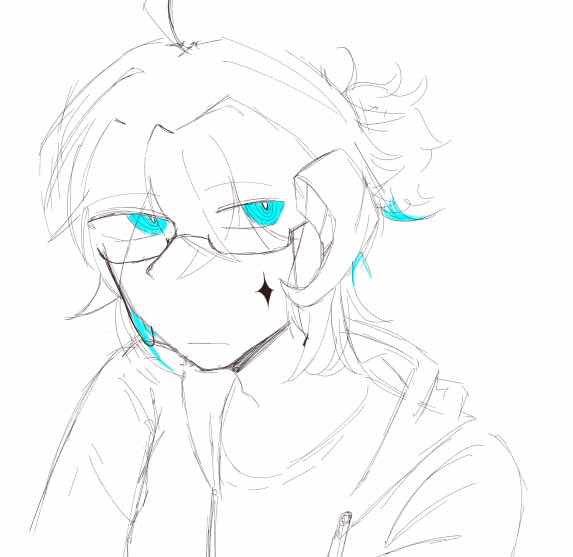
this is my oc, Nael! I made him exactly a year and seven months ago (May 1, 2024-Dec. 11, 2025) and he's still one of the ocs that a refer to a lot but isn't part of my canon lore! Obviously, i'm still working on forementioned canon lore due to unorganized character creation, but i'll have it sorted out eventually!
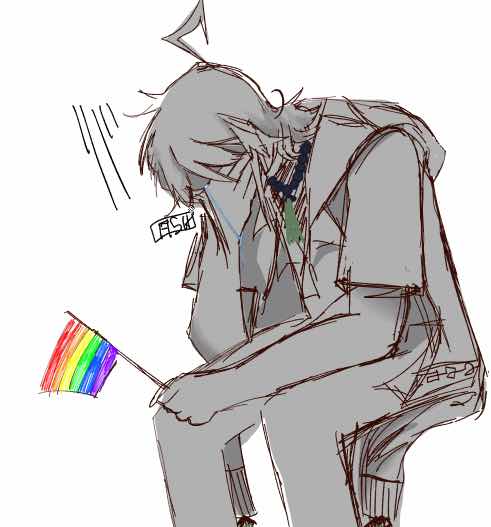
this is my main oc, Xiong. I based him off of zombies in Chinese folklore called Jiangshi. Jiangshi's are reanimated corpses whose ultimate goal is to drain life energy from the living, and they're often controlled by Taoist priests using talismans. I wanted that kind of vibe for Xiong, but also wanted to make a sort of counterpart for him, so there's a jiangshi version of him and there's a modern version of him. In both, though, he's still a zombie. (he's one of the major favorites)
yes, i know that if you compare two of the above artworks together, the artstyles won't be consistent. I'm still exploring how to draw my characters in a way that's efficient and looks good to be, so some art won't look the same as others...i'm sorry!!